Finding Barriers: The Roadmap to BFSG Compliance
Am I BFSG-compliant? Thousands of companies are currently asking themselves this question. The good news: Finding and fixing accessibility barriers isn't guesswork—it follows a clear process. We show you the checklist to proceed systematically, along with the right tools and services to help you along the way.
Why Fixing Accessibility Barriers Doesn't Have to Be Guesswork
Many businesses know they need to act—but don't know where to begin. The Accessibility Strengthening Act (BFSG) has been in effect since June 28, 2025. Anyone offering digital products or consumer services must make them accessible according to WCAG 2.2.
Remediating barriers follows a structured process: audit, prioritization, implementation, and documentation. Approaching this process systematically saves time, prevents mistakes, and allows you to prove compliance to regulatory authorities at any time.
 Systematic process instead of guesswork—with a clear checklist
Audit automatically and manually—for full WCAG compliance
Software and consulting from a single source—SiteCockpit makes it simple
Systematic process instead of guesswork—with a clear checklist
Audit automatically and manually—for full WCAG compliance
Software and consulting from a single source—SiteCockpit makes it simple
The Checklist: How to Fix Barriers Systematically
This checklist guides you step-by-step through the process, from initial audit to final documentation. Phase 1 clarifies where you currently stand.
Step 1: Launch automated audit
A complete scan of all pages reliably detects technical barriers within minutes. You receive a score from 0 to 100 and a prioritized list of issues.
Audit with easyMonitoringStep 2: Conduct an in-depth manual audit
Automated tools cover around 30 to 40% of WCAG criteria. Readability, screen reader behavior, and logical reading order can only be checked by a human.
Request a manual auditStep 3: Sort barriers by priority
Not all barriers are equally critical; Level A takes priority over AA. Missing alternative text, contrast errors, and missing form labels typically sit right at the top.
How to interpret scan resultsPhase 2: Fix, measure, and document
Now it's time for implementation. At the end stands legally sound proof of compliance.
Step 4: Remediate barriers systematically
Work through barriers one by one using the prioritized list. Alternative texts are generated fully automatically by easyAlt, while structural barriers require code adjustments.
Generate alt text automaticallyStep 5: Measure progress and rescan
A follow-up scan takes place after every remediation round. The accessibility score instantly shows which barriers were resolved and where action remains necessary.
Start LivecheckStep 6: Publish accessibility statement
Achieving accessibility is not enough—it must be documented. The declaration outlines your current status, remaining barriers, and available alternatives.
Create with easyStatementAutomated Auditing: easyMonitoring as Your Foundation
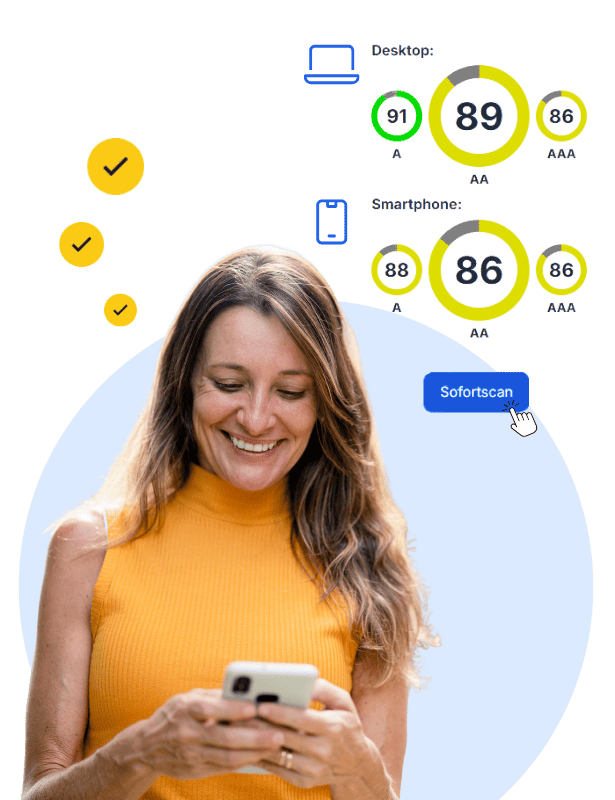
easyMonitoring is the core tool for automated accessibility testing. It continuously scans all pages of your website against WCAG criteria, provides a score from 0–100 per page, and highlights specifically where barriers exist—prioritized by severity.
-
Comprehensive website scanning: All pages are automatically captured and tested against WCAG criteria—not just the homepage
-
Accessibility score: A clear rating from 0–100 reveals the compliance status per page and as an overall overview
-
Prioritized results: easyMonitoring highlights which barriers to tackle first for an efficient workflow
-
Automated monitoring: New content and updates are scanned continuously so no barriers slip through unnoticed
-
Proof for authorities: Documented scan reports prove your progress toward meeting BFSG legal requirements
Manual Audit: Legally Compliant In-Depth Inspection
Automated tools establish a strong baseline, but cannot entirely replace manual testing. Many WCAG criteria demand human judgment: Is this copy understandable? Does navigation follow a logical sequence? Does a form truly work with a screen reader? Our audit team manually inspects your website or app against WCAG 2.2, delivering a practical report complete with actionable remediation steps.
-
Complete WCAG coverage: Manual testing of criteria that automated tools cannot evaluate
-
Screen reader & keyboard testing: Real-world auditing with assistive technology—just as your users experience the site
-
Prioritized action plan: Concrete remediation guidance sorted by severity for efficient fixes
-
Legally sound documentation: The audit report serves as official proof for market surveillance authorities
-
Combined with easyMonitoring: Manual audits and automated monitoring complement each other for maximum compliance assurance