easyMonitoring: Monitor Your Website Accessibility Continuously
easyMonitoring automatically tests your pages against WCAG 2.2 on a regular basis, on desktop and mobile. You see a score per conformance level, every barrier with explanation and recommendation, and you spot new issues before they slow down your visitors.
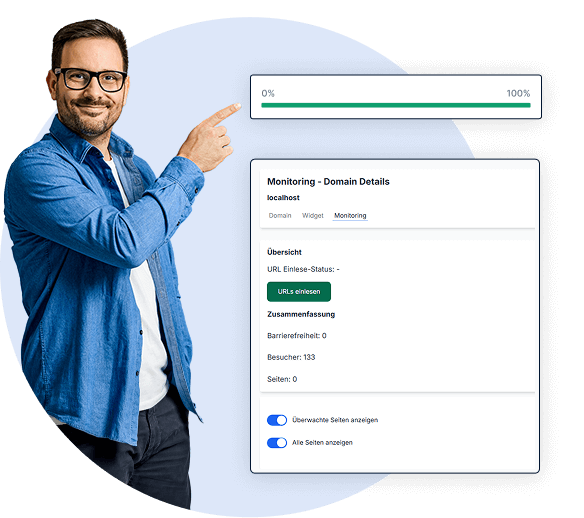
 Regular automated scans
 Score for WCAG level A, AA and AAA
 Manual checkpoints assessed by experts
How easyMonitoring Works
You verify your domain, import your URLs and select the pages to be monitored. easyMonitoring then scans these pages regularly, weekly to daily depending on your plan, and additionally at any time with one click.
-
 Import URLs automatically or manually
-
Select pages for monitoring
-
Scan for desktop, mobile or both
-
Score from 0 to 100 and a summary of all results
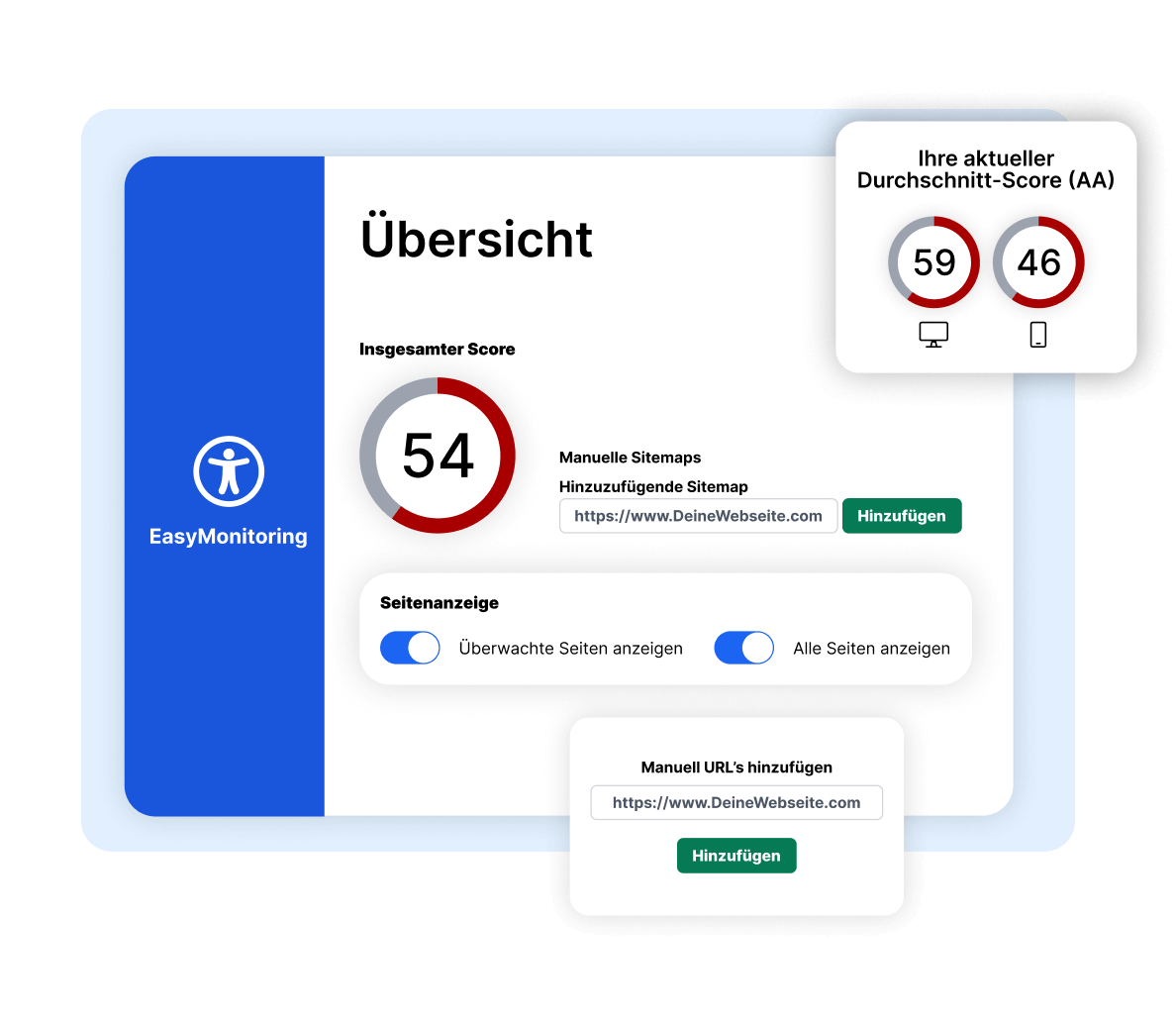
A Score for Every WCAG Level
The score is calculated separately for each conformance level. This shows you immediately where you stand against the legal standard.

Score A
The minimum WCAG requirement.
- Includes
- Level A checkpoints
- Meaning
- Barriers that can exclude people completely
 Legal standard
Score AA
Benchmark under the EAA and EN 301 549.
- Includes
- Level A and AA checkpoints
- Meaning
- Basis for your accessibility statement

Score AAA
The highest conformance level.
- Includes
- Level A, AA and AAA checkpoints
- Meaning
- Recommendations for maximum accessibility
What easyMonitoring Tests
easyMonitoring combines the open-source testing tools Lighthouse and axe-core with its own evaluation and adds checkpoints assessed by experts.
Automated checkpoints
Every scan checks, for example, alternative texts, contrast, labels and ARIA attributes.
Manual checkpoints
Criteria that cannot be measured reliably by automation are assessed by our accessibility experts.

Best practices
Recommendations without a direct WCAG reference are shown separately in the dashboard. They do not affect the score.

Desktop and mobile
You decide whether your pages are tested in desktop view, mobile view or both.
From Finding to Fix
easyMonitoring not only shows what is missing but helps your team fix it.
Explanation for every checkpoint
For each finding you see meaning, impact, recommendation and examples.
Understanding scansPrioritised by severity
Each checkpoint is weighted by its impact. This lets you fix what matters most first.
Fix barriersTasks and notifications
Assign tasks within your team and get notified about new results.
New featuresWhat Automated Tests Find and What They Miss
Automated tests are fast and can be repeated without gaps. Some WCAG criteria, however, can only be assessed by people. This overview helps you put the results in context.

Reliably automated
Missing alt attributes (1.1.1), insufficient text contrast (1.4.3), missing page language (3.1.1), form fields without labels and empty links.
More about WCAG 2.2 →Automated, needs review
Heading structure, meaningful link text (2.4.4) or ARIA attributes: the test finds anomalies, a person decides whether they are a problem.
More about WCAG 2.2 →
Manual only
Full keyboard operation (2.1.1), logical focus order (2.4.3), appropriate alternative texts and the quality of captions.
Manual audits →New in WCAG 2.2
Focus not obscured (2.4.11), target size of at least 24 × 24 CSS pixels (2.5.8), alternatives to dragging (2.5.7) and accessible authentication (3.3.8).
More about WCAG 2.2 →Who in Your Team Works with easyMonitoring
Accessibility involves several roles. easyMonitoring gives each role the information it needs.

Editors
See which content causes barriers, such as missing alternative texts, empty links or skipped heading levels, and fix them directly in the CMS.

Developers
Receive an explanation, the affected elements and a recommendation for each checkpoint. Errors in templates can be fixed once instead of on every page.

Project managers
Keep track of progress over time and prioritise tasks by severity.
Management
See at a glance where the website stands and can document the status for customers or authorities, for example in the accessibility statement.
How to Read the Score Correctly
The score shows at a glance how well your website meets the automatically testable criteria. It is calculated separately for each level and is cumulative: the AA score takes into account the checkpoints of levels A and AA. Each checkpoint is weighted by its impact, so serious errors count more.
-
Score from 0 to 100 for levels A, AA and AAA
-
Serious errors have a greater impact than minor ones
-
Best practices and manual checkpoints are not included
-
A score of 100 is not proof of conformance
Frequently Asked Questions About easyMonitoring
Depending on your plan, monitored pages are scanned automatically weekly, every three days or daily. You can also start a scan at any time with one click.
Keep track of your accessibility
Try easyMonitoring for 30 days free of charge or get personal advice.