Documenting Accessibility: How It Works
Anyone who makes digital offerings accessible must also be able to prove it. Since June 28, 2025, the Accessibility Strengthening Act (BFSG) has required an accessibility statement; public sector bodies have needed one for even longer. With easyStatement, you create this declaration automatically, and with easyMonitoring, you document your progress transparently. This allows you to prove your accessibility to users and authorities at any time.
Why You Must Document Your Accessibility
Implementing accessibility is one side of the coin; proving it is the other. The Accessibility Strengthening Act (BFSG) requires companies, as of June 28, 2025, to outline in an accessibility statement how their digital offerings meet the requirements. The legal basis is Section 14 in conjunction with Annex 3 of the BFSG.
Public bodies already know this obligation from the BGG and BITV 2.0: They must publish an accessibility statement and offer a feedback mechanism through which users can report barriers. For companies under the BFSG, such a feedback channel is not strictly mandatory, but recommended.
Proper documentation protects against legal risks and builds trust. It transparently shows users and authorities which content is already accessible, which barriers still exist, and what measures are planned. SiteCockpit makes this proof simple and keeps it permanently up to date.
 Accessibility Statement has been mandatory since June 2025
Mandatory disclosures according to Annex 3 of the BFSG
Created automatically with easyStatement
Accessibility Statement has been mandatory since June 2025
Mandatory disclosures according to Annex 3 of the BFSG
Created automatically with easyStatement
What Belongs in Complete Documentation
Reliable documentation consists of four building blocks that together make your accessibility verifiable.
Accessibility Statement
The central disclosure on the status of accessibility, automatically created and customizable with easyStatement.
Audit Logs and Reports
Transparent reports from easyMonitoring prove which WCAG criteria are fulfilled.
Measures and Progress
An overview of planned and implemented measures demonstrates development over time.
Feedback Mechanism
A contact channel through which users can report barriers—mandatory for public sector bodies.
The Accessibility Statement: Mandatory Disclosures
The accessibility statement is the centerpiece of documentation. It discloses how accessible your website or application is and what you are still working on. Mandatory disclosures derive from Annex 3 of the BFSG for companies, and from BITV 2.0 for public bodies.
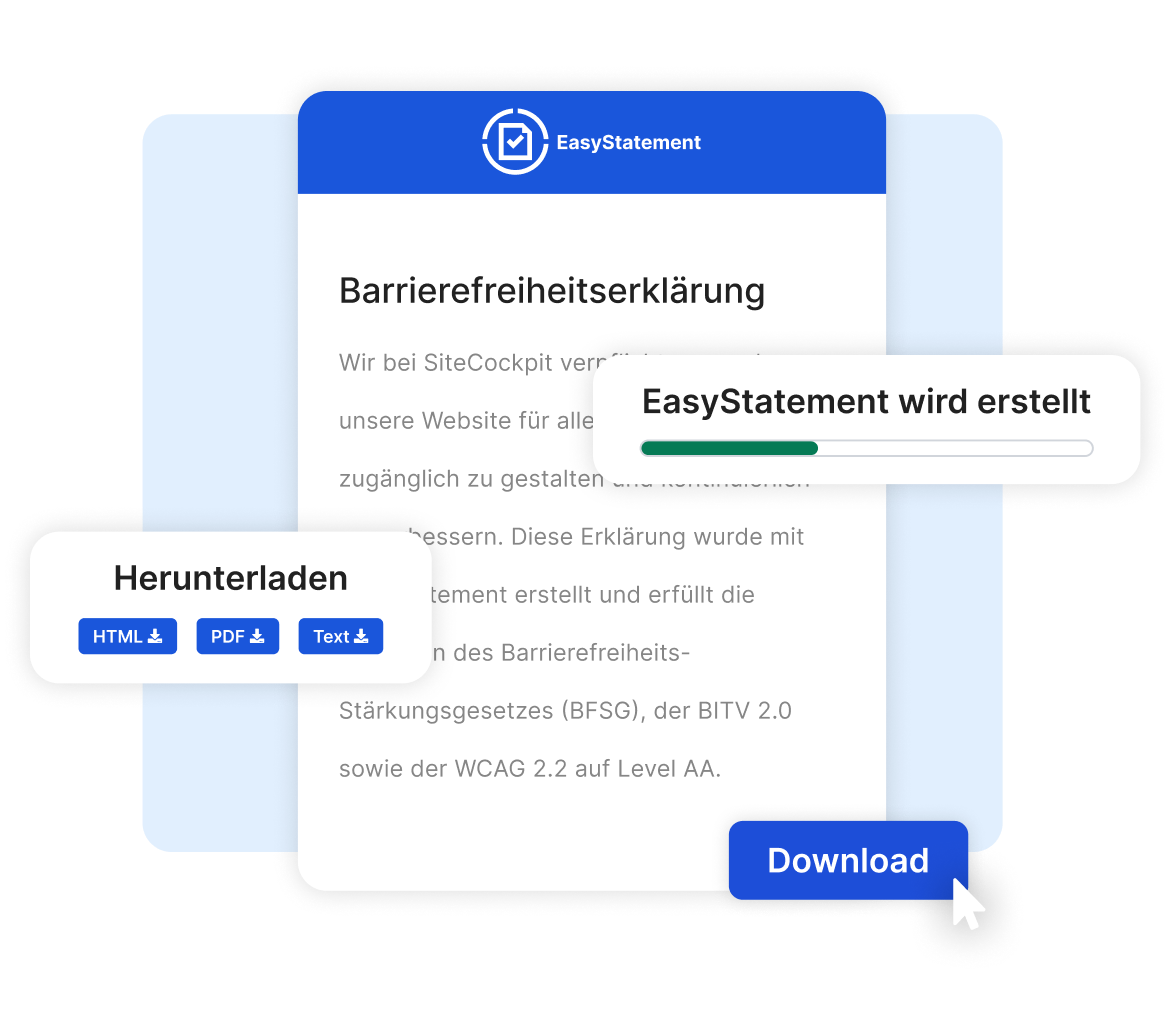
With easyStatement, you create this statement automatically, in an accessible format and with full legal certainty. If the status of your website changes, you update the declaration with just a few clicks so it never becomes outdated.
-
Information on the accessibility status and known barriers
-
Indication of planned measures and the timeline
-
Contact channel for feedback on barriers
-
Creation, maintenance, and updates via easyStatement
What is the current status of your accessibility?
Check it now. Free in under 60 seconds.
Documentation Is an Ongoing Process
An accessibility statement is not a one-time task. Every change to content, features, or design can introduce new barriers. That is why you should test your website regularly and keep your documentation current, especially after relaunches and major updates.
-
Regular auditing instead of a one-time snapshot
-
Transparent reports as seamless proof
-
Statement and audit reports complement each other
easyMonitoring automatically audits your website against WCAG 2.2 AA criteria and records results in clear, transparent reports. This creates a seamless history that proves progress and is immediately available during an audit by an oversight authority.
Together, easyMonitoring and easyStatement form end-to-end proof: The reports show the technical status, while the declaration summarizes it comprehensibly for users and authorities. In this way, you document your accessibility permanently and legally compliant.
Your Complete Solution
Five Steps to Accessibility
1. Initial Audit: Scan your website using our free Livecheck tool to find existing barriers.
2. Set Up Monitoring: Enable easyMonitoring for automated testing according to WCAG 2.2 AA.
3. Implement Immediate Fixes: Integrate easyVision and generate missing alt text via easyAlt.
4. Broaden Access: Make your content available in additional language variants using easyTranslate.
5. Generate Documentation: Create your accessibility statement with easyStatement and keep it up to date.
Our Products for Documenting Your Accessibility
With SiteCockpit products, you audit, improve, and document your accessibility simply and independently of your system.
easyStatement
Legally compliant accessibility statement, automatically generated and updatable at any time.
easyMonitoring
Automated auditing according to WCAG with transparent reports as proof.
easyVision
Personalized accessibility options such as visual contrast toggles, reading modes, and keyboard controls directly on your site.
easyAI
AI-powered assistance for accessibility and content optimization.
easyAlt
Automated alternative text generation for images—fast, consistent, and WCAG-aligned.
easyTranslate
Accessible translations and language variants for your content.
Workshops
Practical training to master accessibility implementation within your system.
Webinars
Live sessions providing practical guidance, best practices, and Q&A covering digital accessibility.
What Belongs in the Accessibility Statement
Mandatory disclosures derive from Annex 3 of the BFSG for companies, and from BITV 2.0 for public bodies. In both cases, the declaration discloses how accessible an offering is. This includes a statement on the level of accessibility, a description of known barriers, and information on available alternatives.
-
Status of accessibility and known barriers
-
Reference to WCAG 2.2 AA and EN 301 549
-
Date of audit and contact channel for feedback
The technical benchmarks are the Web Content Accessibility Guidelines (WCAG) at Level AA and the EN 301 549 standard. A solid statement references these standards, specifies the date of the last audit, and provides a contact channel for feedback. This way, accessibility is documented transparently for everyone.
Flexible Packages and Pricing at a Glance
Unlock the full potential of digital accessibility with flexible packages tailored to your company.
Starter
- Website Widget
- 1 Domain
- Accessibility Statement
- 2500 Credits per month
- 1 User
- easyMonitoring
- easyALT (aut. Alt attributes)
Pro
- Everything from Starter +
- 2 Domains
- 10,000 Credits per month
- easyMonitoring
- 3 Users
- easyTranslate (Live-Translation)
- Integration service
Premium
- Everything from PRO +
- 5 Domains
- 30,000 Credits per month
- easyLanguage
- 10 Users
- Key-Account & Personal Onboarding
- Assistance with inspections by the authorities
Enterprise
- Individual requirements
- Key account support
- Manual audits and training courses
- Support with audits by authorities and with content-related issues through warnings (no legal advice)
- 99.9% SLA
** Note: Vouchers are non-transferable, not combinable with other discounts and can only be redeemed online. A cash payment is excluded.
Have questions? We are here to help.
Whether you need an initial consultation on accessibility statements or concrete technical planning for your documentation, our team is ready. Prove your accessibility alongside a partner who understands your needs.
Frequently Asked Questions About Documenting Accessibility
Yes, provided you fall under the BFSG. Under Section 14 BFSG, companies must provide an accessibility statement as of June 28, 2025. Public sector entities have already been required to do so under BITV 2.0.