
Accessibility for websites: What operators need to know & implement
Since June 28, 2025, the BFSG requires websites to be free of accessibility barriers. What operators must implement, technically and content-wise.

Summary
The BFSG has required website operators, public bodies, and online stores to be accessible since June 2025. Blind, visually, motor-, and cognitively impaired users benefit most. SiteCockpit's easyMonitoring automatically checks against WCAG 2.2, BITV, and EU directives, running 132 individual technical checks covering contrast, alt text, structure, and more. Staying compliant long-term requires accessible content alongside the technical fixes, plus continuous monitoring.
Accessibility for websites: What operators need to know & implement
Digital accessibility is not a nice-to-have, but a legal requirement - especially for websites of public bodies, online stores or companies that offer content online. Since June 28, 2025, the German BFSG law has required that all accessibility barriers be removed. Operators must meet specific requirements - both technically and in terms of content.
With easyMonitoring from SiteCockpit, you can test these requirements automatically, detect violations and monitor implementation on an ongoing basis.

For which people, which disabilities?
Accessibility affects people with different disabilities - such as blind and visually impaired users who rely on screen readers and keyboard navigation. But people with motor or cognitive impairments also benefit when content in text and image form is clearly structured and accessible. The aim is to design websites for as many people as possible in such a way that there are no barriers to use.
What does easyMonitoring check?
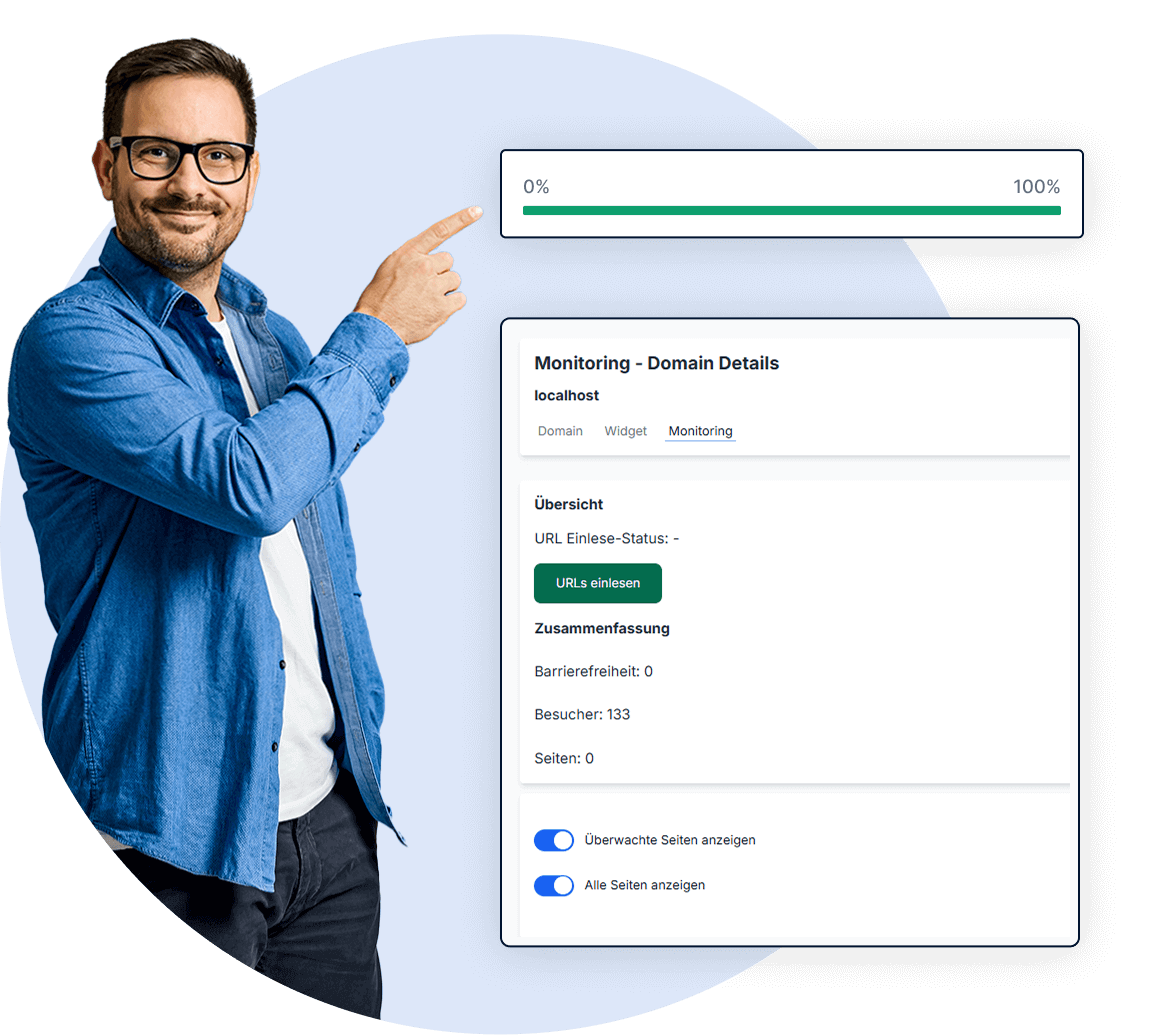
easyMonitoring scans websites in accordance with WCAG 2.2, the BITV and EU directives. It detects typical errors in text, images, navigation or interactive elements and prioritizes them according to urgency:
- Missing alternative texts
- Insufficient contrast
- Missing signals for screen readers
- Incorrect semantic structure or incorrect guideline assignments
- And much more, a total of 132 individual technical checks
For each point where barriers exist, the system provides specific recommendations for implementation - including suitable examples for remedying them.
Implementation: How to design accessible pages
- Scan & test: The automatic check records all technical requirements for accessible pages - including texts, contrasts, keyboard operability, ARIA labels, forms and responsiveness.
- Report & history: Monitoring creates score values, traffic light systems and PDF reports for internal purposes or evidence under the law.
- Designing content correctly: In addition to technical aspects, the content side is also crucial - well-structured texts, simple language, clear images, appropriate elements. For this purpose, easyMonitoring also shows all the necessary manual checks.
- Permanent monitoring: Accessibility must be checked continuously. New content can create new hurdles. easyMonitoring enables regular scans and continuous monitoring - accessible, comprehensible, legally compliant.
Typical errors on the web
- Images without alternative text
- Poor contrast between text and background
- Buttons or interactive elements that cannot be operated
- Forms that cannot be filled in using the keyboard
- Screen readers do not recognize a meaningful structure
- Lack of language labeling or inconsistent terms
- Unclear or unfocusable menu navigation
- Complex content without examples or visual support
SiteCockpit Solution
What website operators should do now
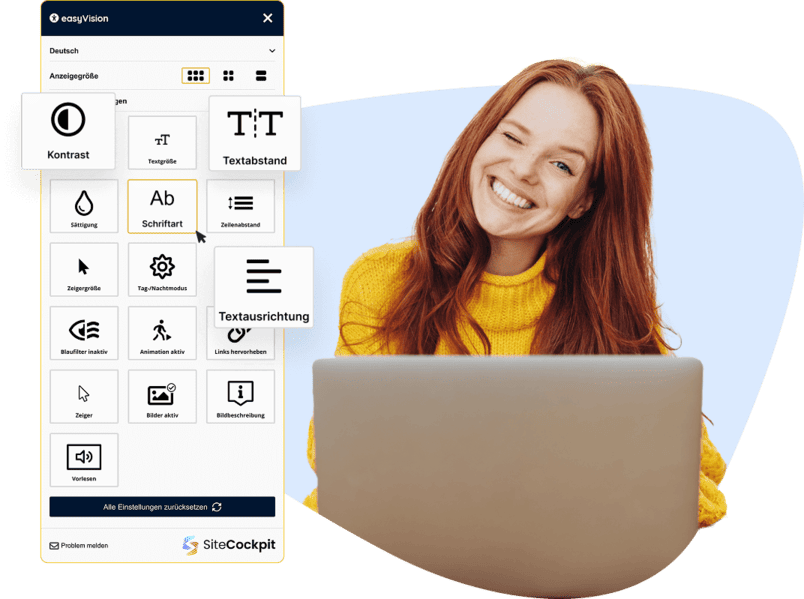
The area of digital accessibility is becoming increasingly important - especially in the public sector, e-commerce and educational institutions, where the implementation of legal requirements in the area of accessibility is crucial. Modern tools like easyMonitoring not only provide a complete overview of this area, but also ensure sustainable accessibility in all relevant sub-areas - from content to technical structure.
If you want to be on the safe side legally as a website operator, there is no getting around technical and editorial accessibility. The law requires more than just a symbolic declaration - it is about real accessibility for all users, especially for blind or impaired people. With easyMonitoring, all technical requirements can be tested automatically, violations made visible, content continuously optimized and made accessible.
Discover easyMonitoring →Test your website now
Does your website already meet the technical accessibility requirements? Test it now for free with the Livecheck by SiteCockpit.
Test for free nowRead more – Practice & Business
The Costliest Barrier Mistakes: Where Companies Should Start First
Not every barrier costs the same time or risk. Here is how WCAG data helps you find the right order to fix them.

Accessibility and SEO: How WCAG Compliance Improves Your Ranking
Accessibility is not a Google ranking factor, but WCAG, Core Web Vitals, and usage signals still shape your ranking indirectly.

Agentic Commerce and Digital Accessibility: What Online Shops Need to Know Now
AI agents are increasingly shopping on their own. Why accessible product data is the foundation for Agentic Commerce.